Details
- Release date: February 26, 2026
- Genre: Utility, Education
- Developer: Immersive Languages
- Platforms: Steam
Current prices

|
Steam
Digital
|
Free
|
Price history
| All time low | |
| Free | |
dekudeals.com
Description
The Translation Extension can translate recognized sentences or paragraphs for you.
1. Enable Translation Extension
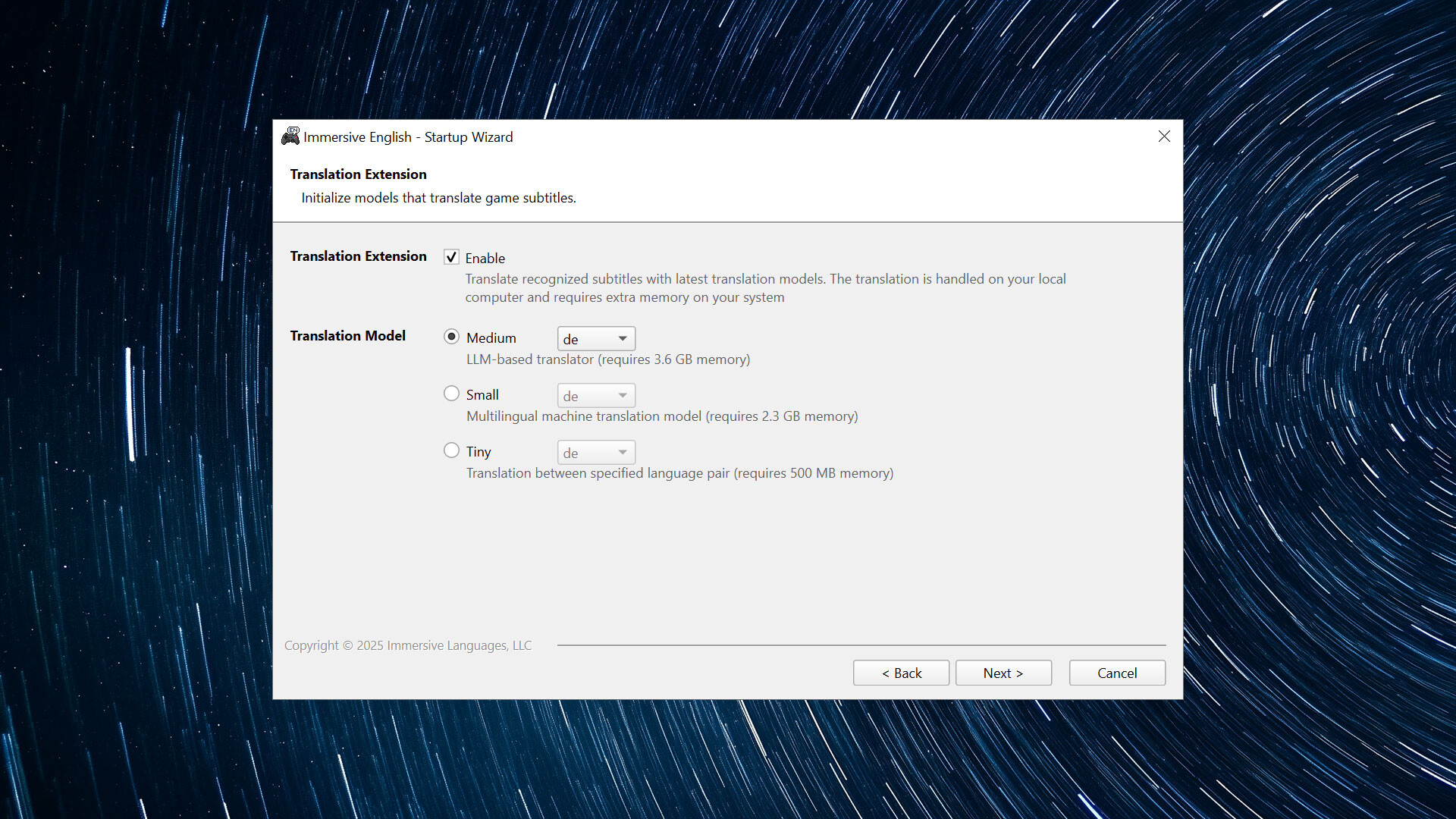
Check the "Enable Translation Extension" option in the startup wizard, and then select the translation model you want to use. The translation will be handled on your local computer and it consumes pretty much memory.
The medium model requires 3.6 GB memory
The small model requires 2.3 GB memory
The tiny model requires 500 MB memory
The medium model is recommended if your computer has 16 GB memory.
2. Start Immersive English and Pause the Game
Start Immersive English and the game as usual, and then pause the game with the hotkey (Pause/Break by default).
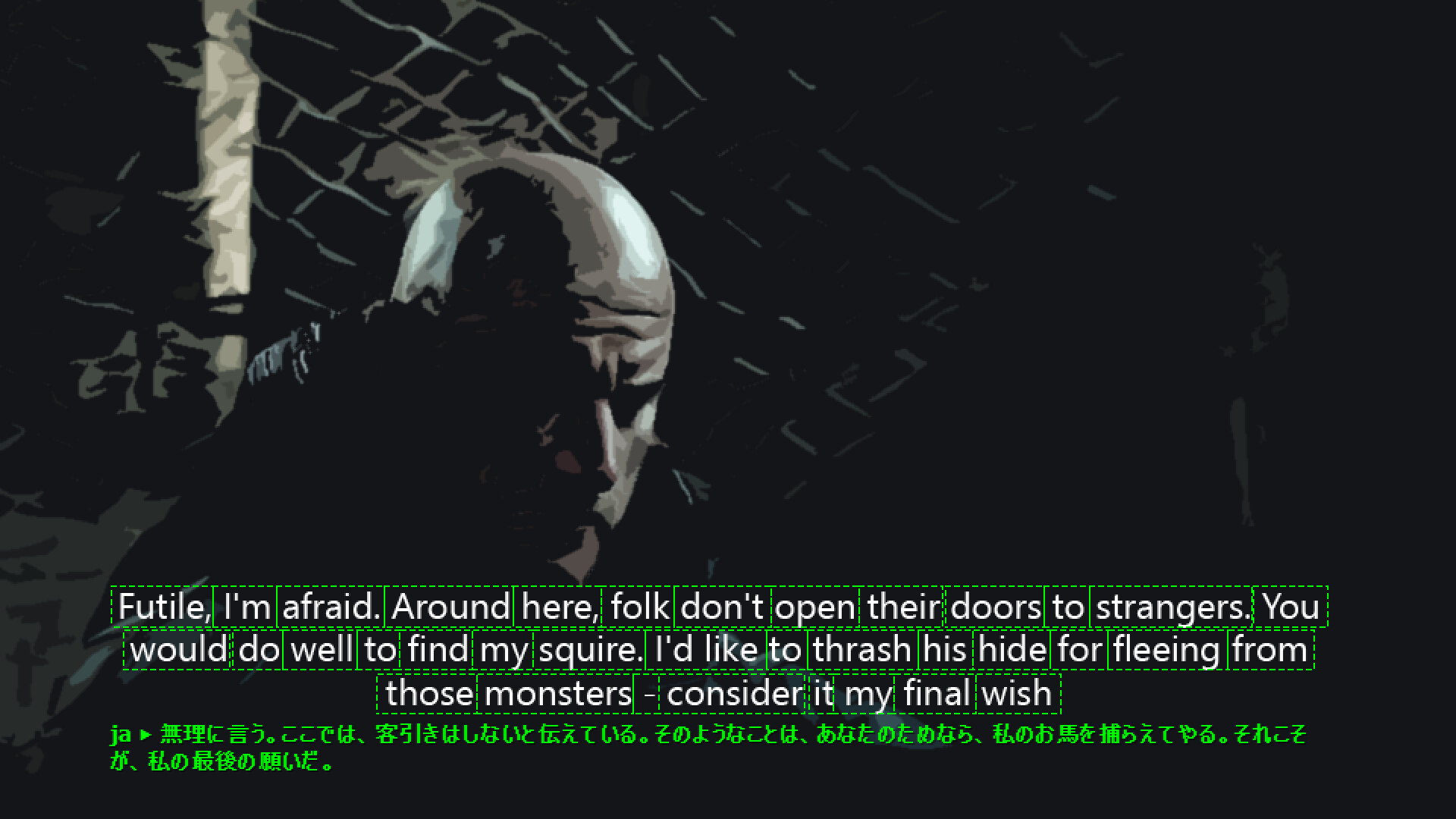
3. Translate Recognized Paragraphs
If a paragraph is detected, a small button will appear on its bottom-left corner. Click on it to start translation.