jumpcutGG
Details
- Release date: August 3, 2026
- Genre: Casual
- Developer: Brilliant Blue-G
- Publisher: Brilliant Blue-G
- Platforms: Steam
Current prices

|
Steam
Digital
|
$7.91
-34%
|
| Lowest price ever | ||
| Sale ends in 30 hours | ||
Price history
| All time low | |
| $7.91 | (-34%) |
Description
Stop Scrubbing and Start Clipping
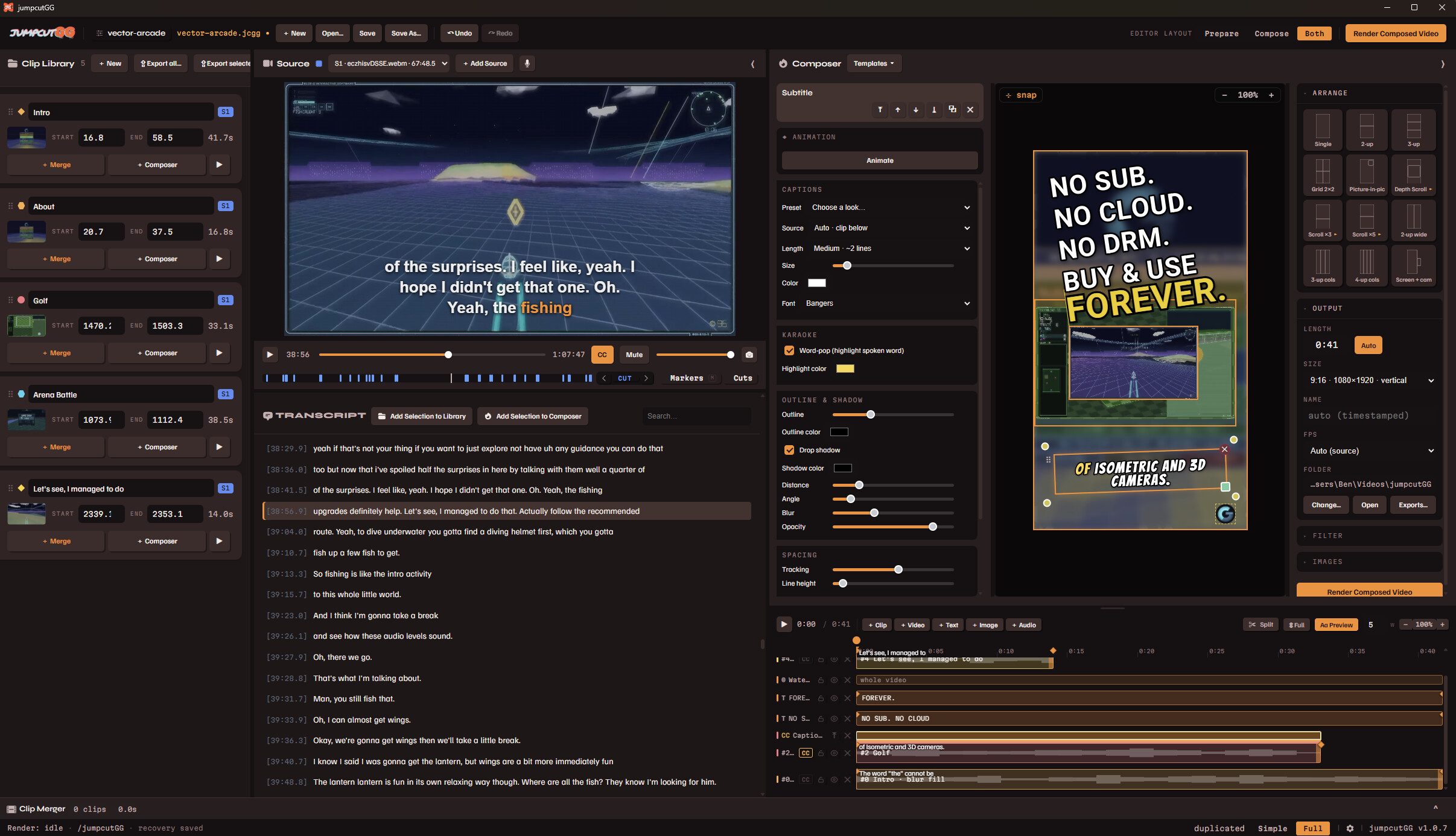
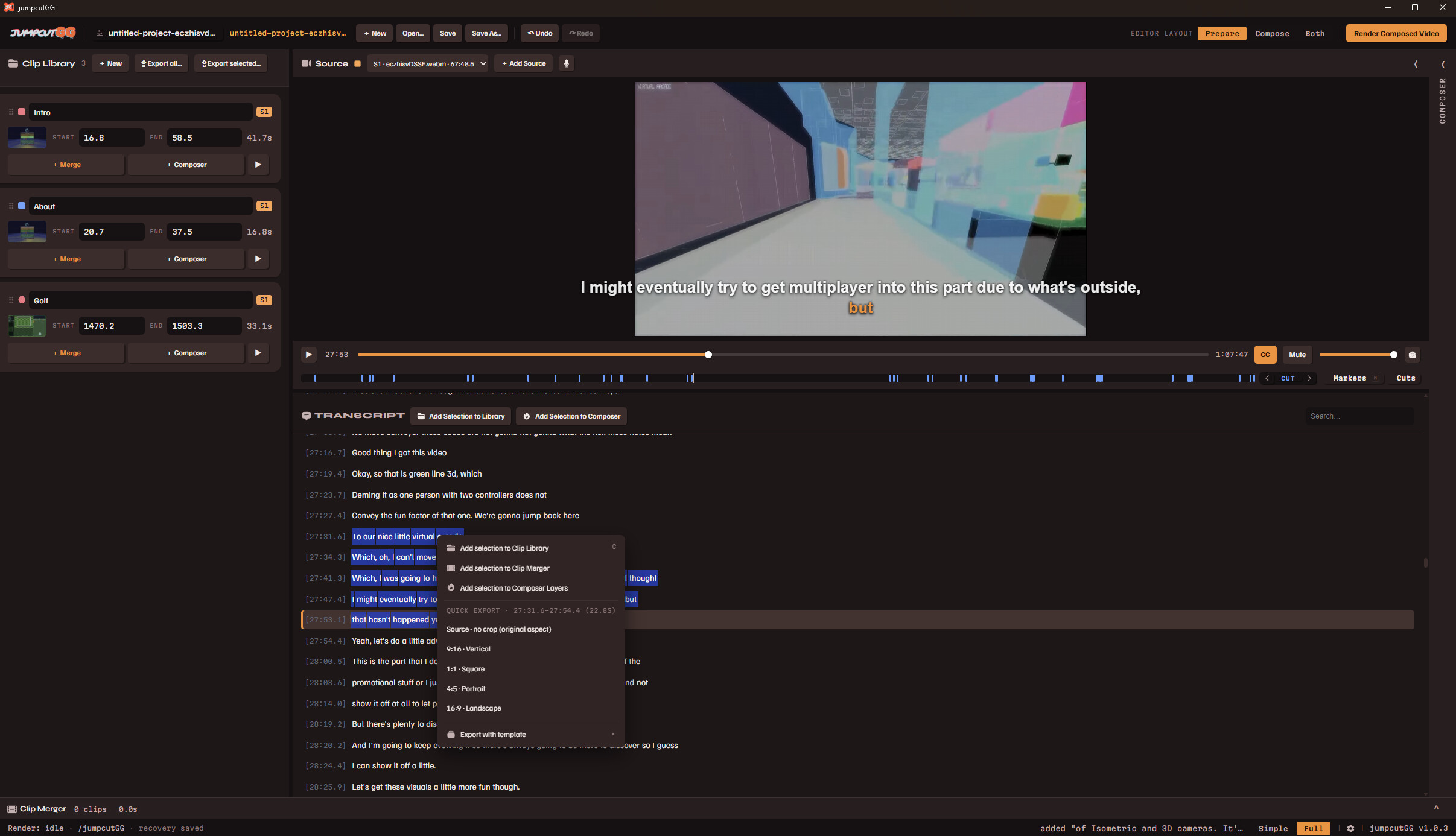
JumpcutGG is a full video editor that helps you turn long gameplay VODs into share-ready clips and videos, fast. It transcribes your footage on your own machine, then lets you cut by highlighting the transcript instead of painstakingly dragging a playhead around.
Put it all together with the built in layout editor and export at any aspect ratio you need.
Replace that expensive cloud video editor subscription for good with probably half of what they charge for one month!
Missing a feature you need? Pop by the Feature Request Steam forum.
Buy It Once, Use It Forever
No subscription. No monthly fee. No account required to edit. No features hidden behind paywalls. No data collection/tracking/training.
Pay once and it's yours to use as much as you want for as long as you want, this software comes from a developer tired of constant data harvesting and subscriptions for everything.
Clip Straight From the Words
Your video gets transcribed automatically on import, just highlight a line and make a clip. No more scrubbing, listening, scrubbing listening, etc; the clip you're looking for is just a ctrl+f away!
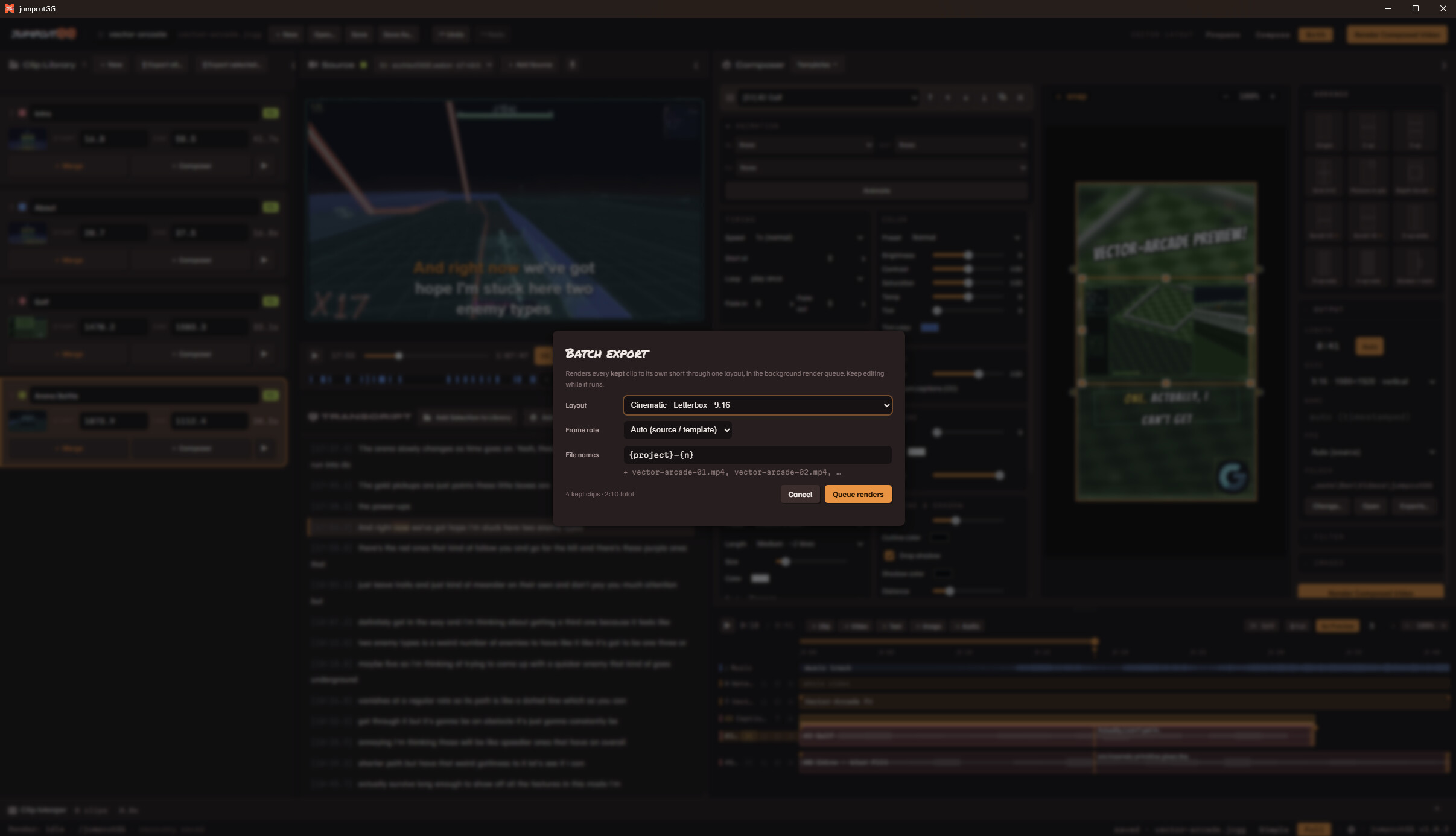
You can either one-click export these clips or use them with the sequence/layout composer for more control.
Timeline and Full Layout Composer
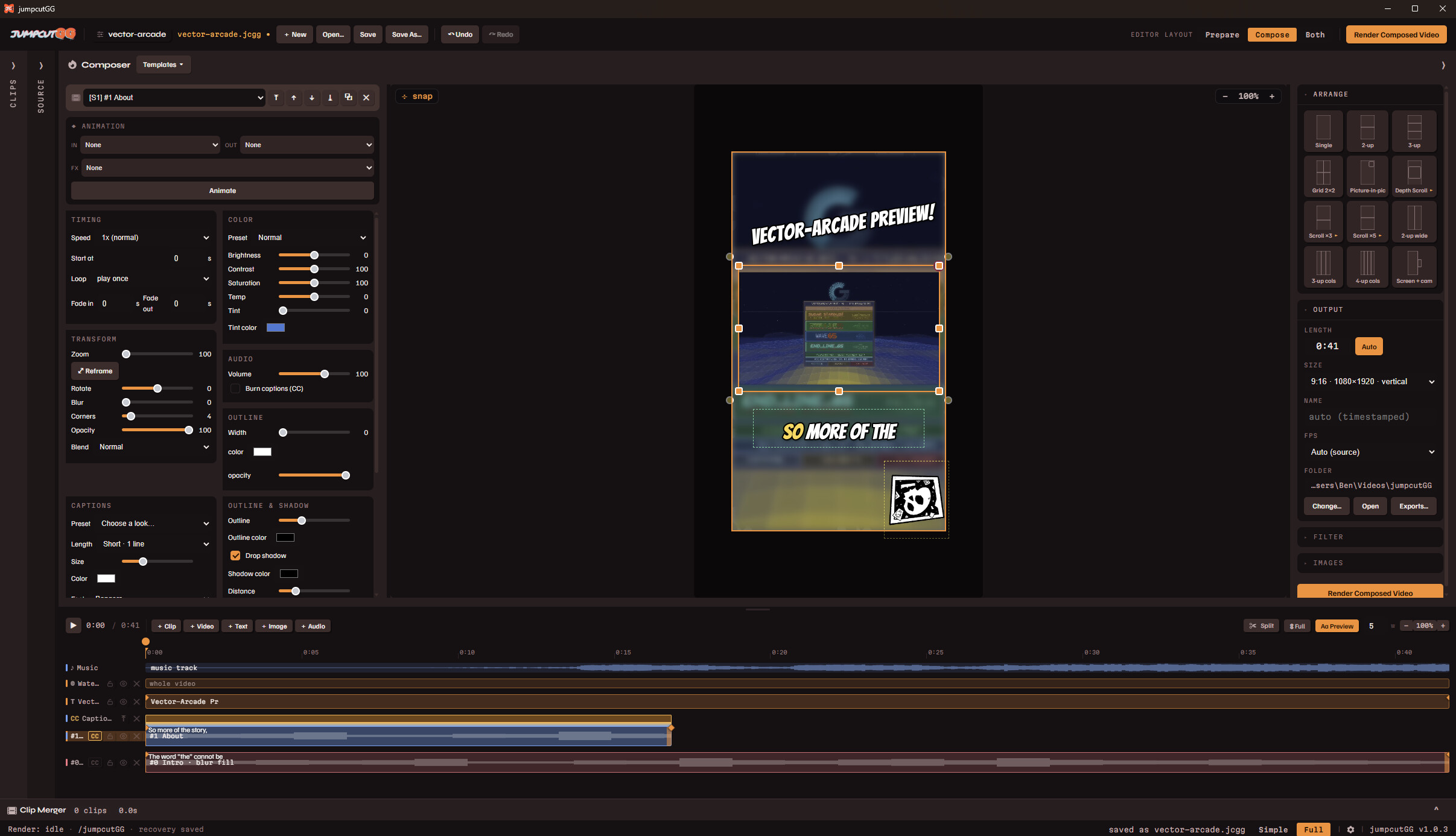
Cut together your clips and then frame them however you like. Layer them with captions, titles, and overlays. Style your text with fonts, outlines, shadows, and more then position everything just how you need it or use the built in preset layouts to try out looks quickly.
Custom One-Click Templates
Use the layout composer to create custom templates for use with one click clips! Get your signature look consistent across all of your videos, all from one click.
Any Aspect Ratio
Export vertical shorts or keep it landscape for a standard upload. Or go all out with it, who doesn't have a need for 8192 x 200 resolution videos every now and then?
Just GIF It
Easily convert exported clips into animated gifs! Or is it animated gifs? (That joke doesn't work in text...)
Runs On Your Machine
Transcription and rendering happen on your own computer. No cloud involved, nothing gets uploaded to a server, your footage stays on your machine.
Windows at launch, Mac and Linux builds to follow soon after.