Details
Current prices

|
Steam
Digital
|
Free
|
Price history
| All time low | |
| Free | |
Description
Engine & System Integration
True Desktop Integration: The application runs as a genuine, non-interactive wallpaper layer behind your desktop icons, not just a maximized borderless window.
System Tray Control: A convenient icon in your system tray gives you quick access to pause animations, take screenshots, or exit the application cleanly.
Crash-Proof Restoration: Your original desktop wallpaper is automatically saved upon launch and restored upon exit, even if the application crashes.
Integrated Screenshot Tool: Capture your beautiful creations with a built-in tool that can save directly to your Desktop or your Steam screenshot folder.
Complete Creative Control
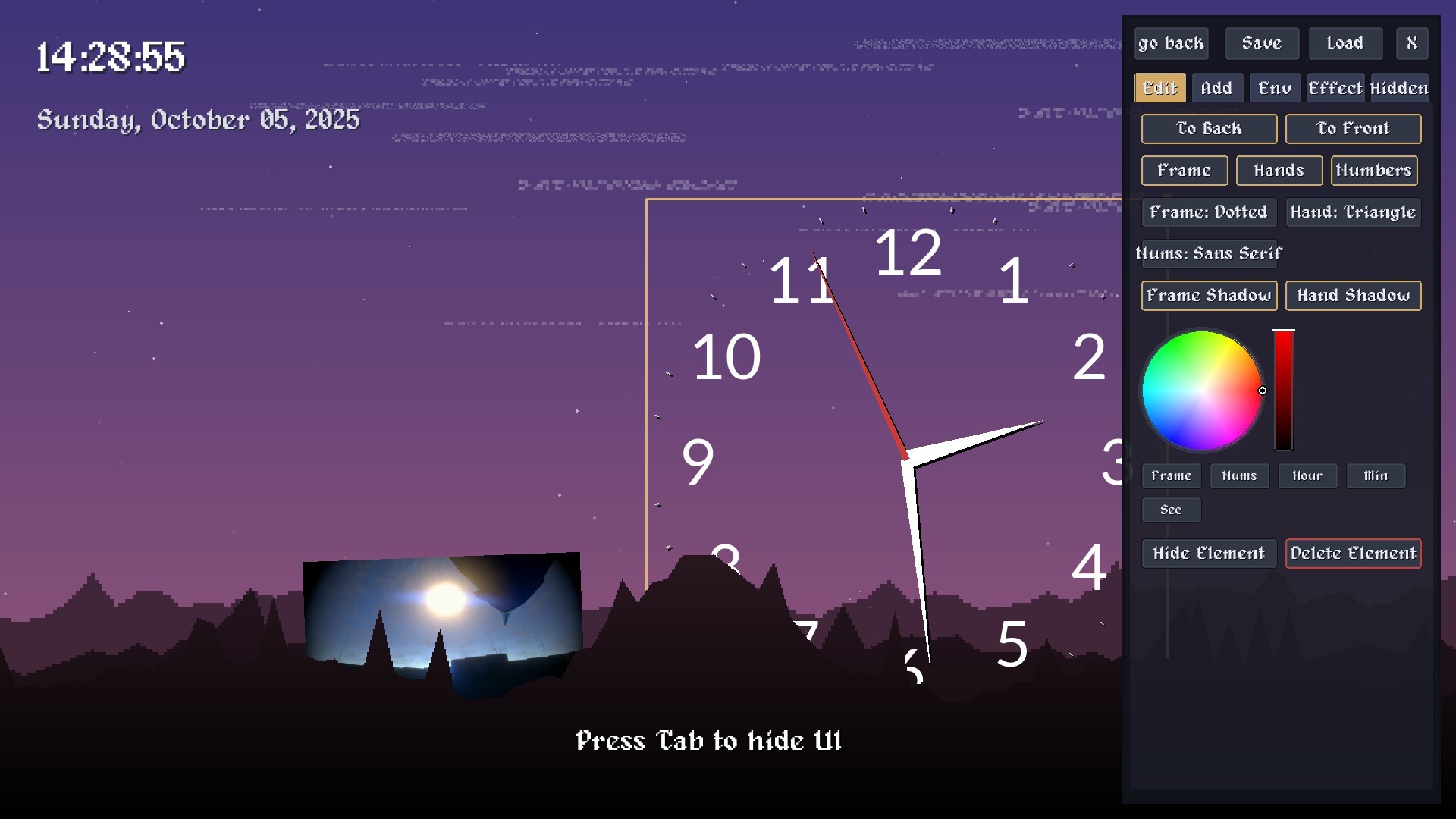
Powerful On-Screen UI Editor: A comprehensive, tab-based user interface allows you to tweak every single aspect of your wallpaper. Simply press Tab to hide or show it.
Save & Load Your Creations: Your entire layout, including every element's position, rotation, size, and settings, can be saved to a local wallpaper_settings.json file to be loaded later.
Smooth, Physics-Based Manipulation: Drag, resize, and rotate any element on screen with a fluid, smoothed motion that makes placement intuitive and satisfying.
Complete Z-Layer Control: Place elements anywhere in the scene, including moving them in front of or behind the individual landscape layers for incredible depth effects.
Customizable On-Screen Elements
Advanced Text & Info:
Highly Modular Analog Clock:
Image & Animated GIF Support:
-