The Best Switch 2 Dock Alternatives
The Best Switch 2 Dock Alternatives
Tested & selected by Team Deku
When you buy something from one of our links, we may earn a commission. Learn more
The Switch 2 dock is great for the living room but isn’t ideal for gaming on the go, and by itself does not allow for docking other portable consoles like a Steam Deck or Legion Go. A good portable dock can open more possibilities for play and won’t break the bank either.
We’ve tested portable docks specifically designed for the Switch 2 and have found a few that we think are ready for primetime.
Considerations
We tested Nintendo Switch 2 portable docks on five criteria:
- Size: How much room does it take up in a backpack or case, how much does it weigh, and how obtrusive is it when plugged into a wall outlet?
- Price: Is it less expensive than Nintendo’s official $125 dock?
- Compatibility: Does it work seamlessly with the Switch 2 and other similar devices like the Steam Deck and Legion Go?
- Risk: What electrical tests and certifications has it undergone? Is it safe to use?
- Temperature: Does it stay at a reasonable temperature during extended play sessions?
Our Top Picks
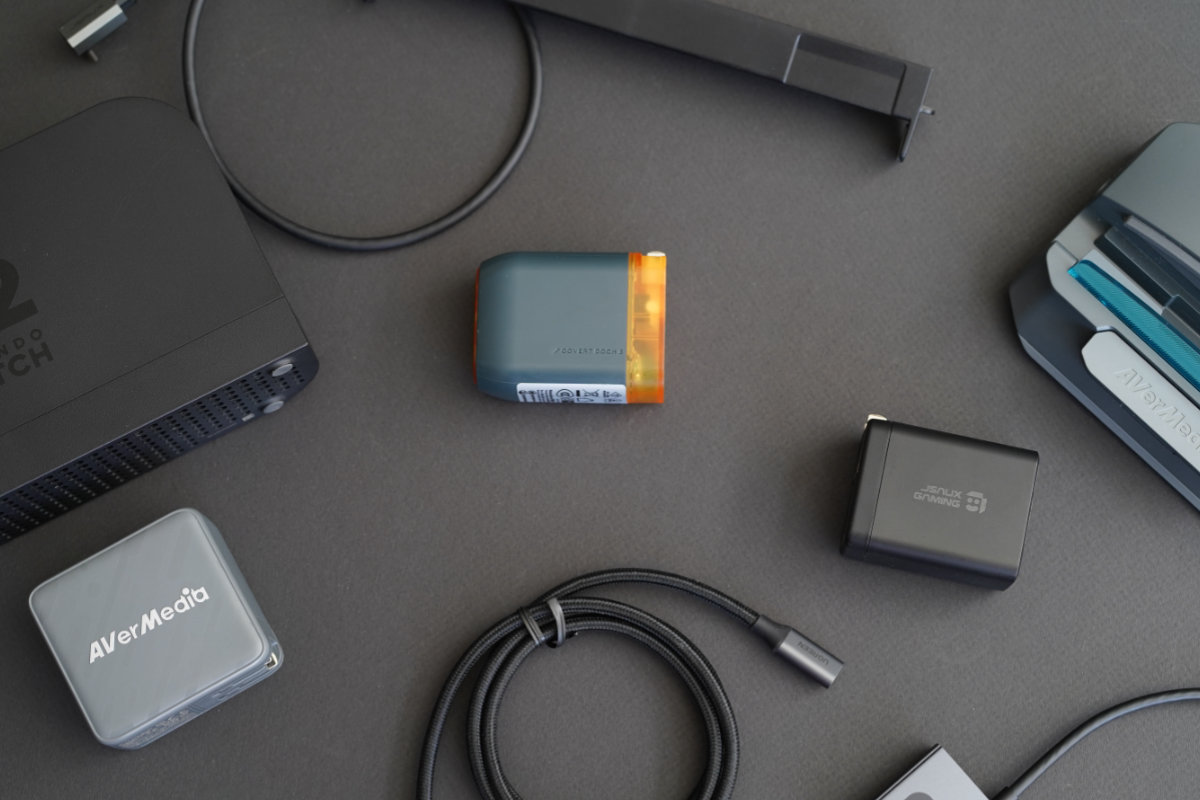
Genki Covert Dock 3
Best for most buyers
What we liked
Things to know
Included in the box: Genki Covert Dock 3, 1.2m Right-angle USB-C to USB-C 3.2 100W 10Gbps Cable
What you’ll need: A high quality HDMI 2.1 Cable (we recommend Anker or UGREEN)
Optional additions: Covert Dock Global adapters ($10), featuring three interchangeable plug types that cover over 150 countries worldwide
Genki set themselves apart from other accessory manufacturers with their top-notch line of portable docks for the original Switch (Covert Dock, Covert Dock 2, and Covert Dock Mini), so it should come as no surprise that the Covert Dock 3 impressed us right out of the box. Offering up to 65W of power output and supporting 4K120, HDR, and VRR, the Genki Covert Dock 3 is hands-down the best option for Switch 2 owners looking for a portable dock.
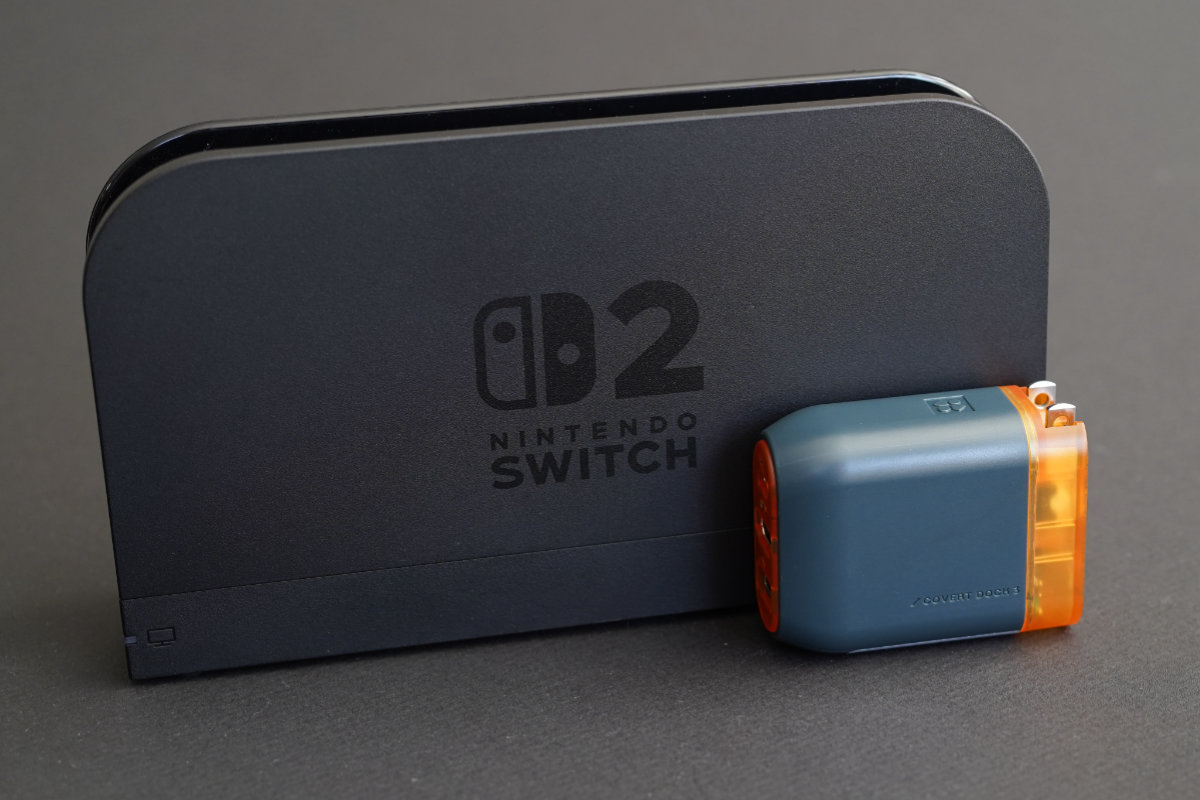
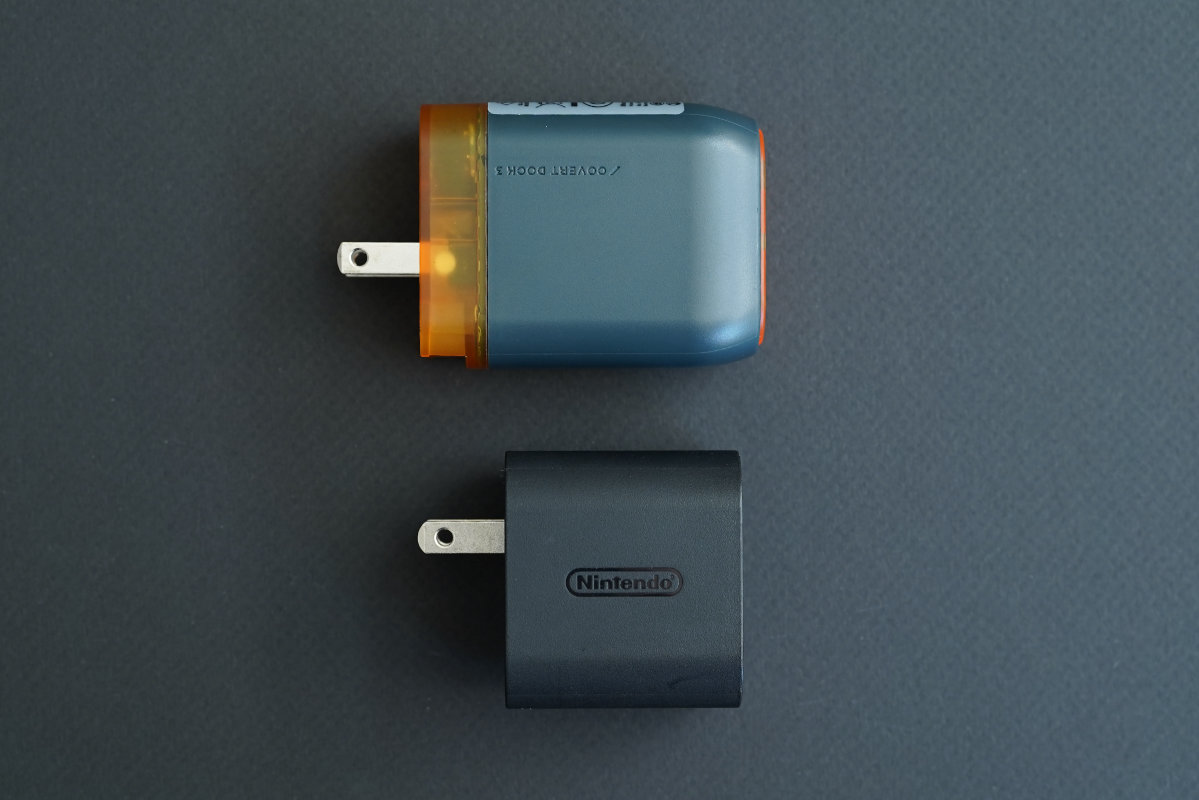
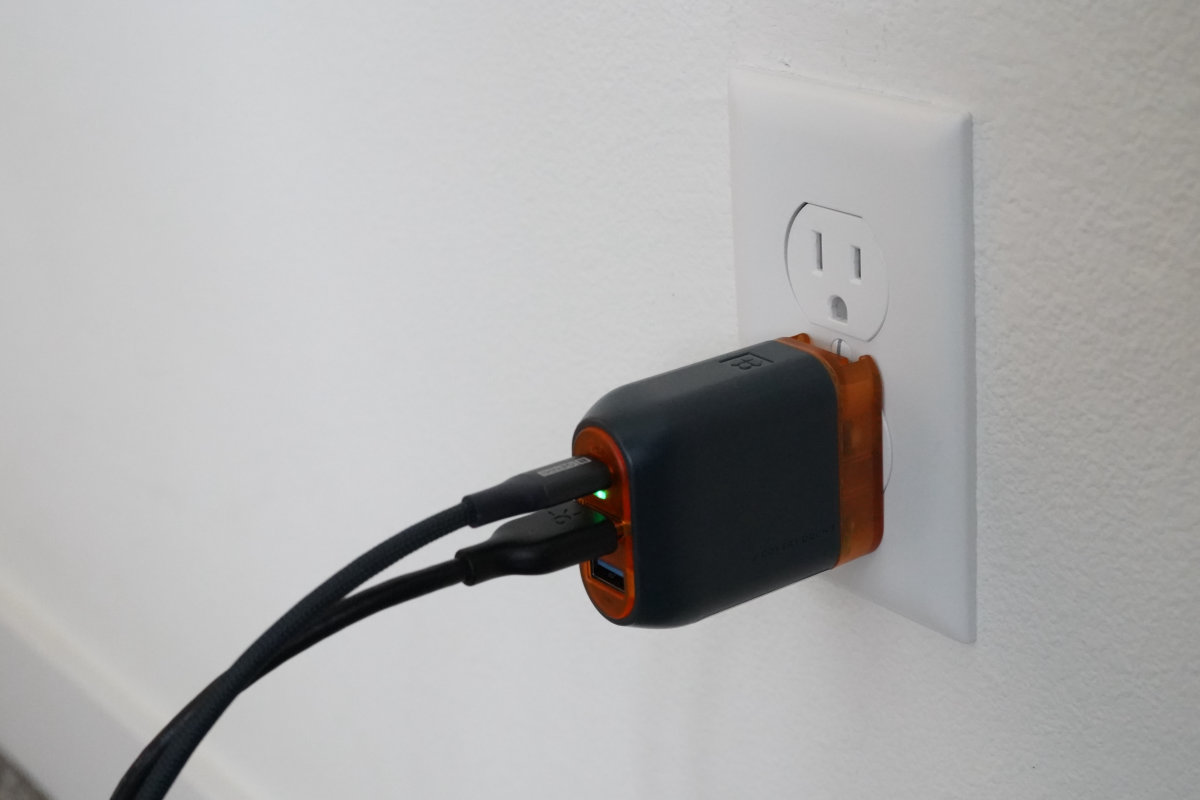
True to its name, the Covert Dock 3 is very compact. It is about half as long as a Switch 2 Joy-Con and is as thick and weighs as much as two Joy-Con stacked back-to-back. When plugged into a standard 120V North American power outlet, the Covert Dock 3 leaves space for the other outlet to be used as well. Despite being so small and not having a fan for active cooling, the external temperature never rose above 110f during our testing and our Switch 2 actually measured about 10f cooler than in the official dock.
We tested a plethora of different devices including Switch 1 and 2, Steam Deck, Legion Go S, GPD Win Mini, and iPhone 16 Pro, all of which worked without issue. The Covert Dock 3 includes electronics safety certifications from an impressive number of international testing laboratories including PSE UL Japan and TUV Rheinland of NA, indicating that the device has been tested and considered safe for general use.
At $65, the Covert Dock 3 is half the price of the official dock and much more portable, but it’s not the cheapest dock we tested. That said, considering it’s responsible for powering a $500 console we think the slight premium over other options is well worth it.
JSAUX OmniCentro
Budget pick with some corners cut
What we liked
Things to know
Included in the box: OmniCentro Charger Dock, 1m USB-C to USB-C 3.2 5A Cable
What you’ll need: A high quality HDMI 2.1 Cable (we recommend Anker or UGREEN)
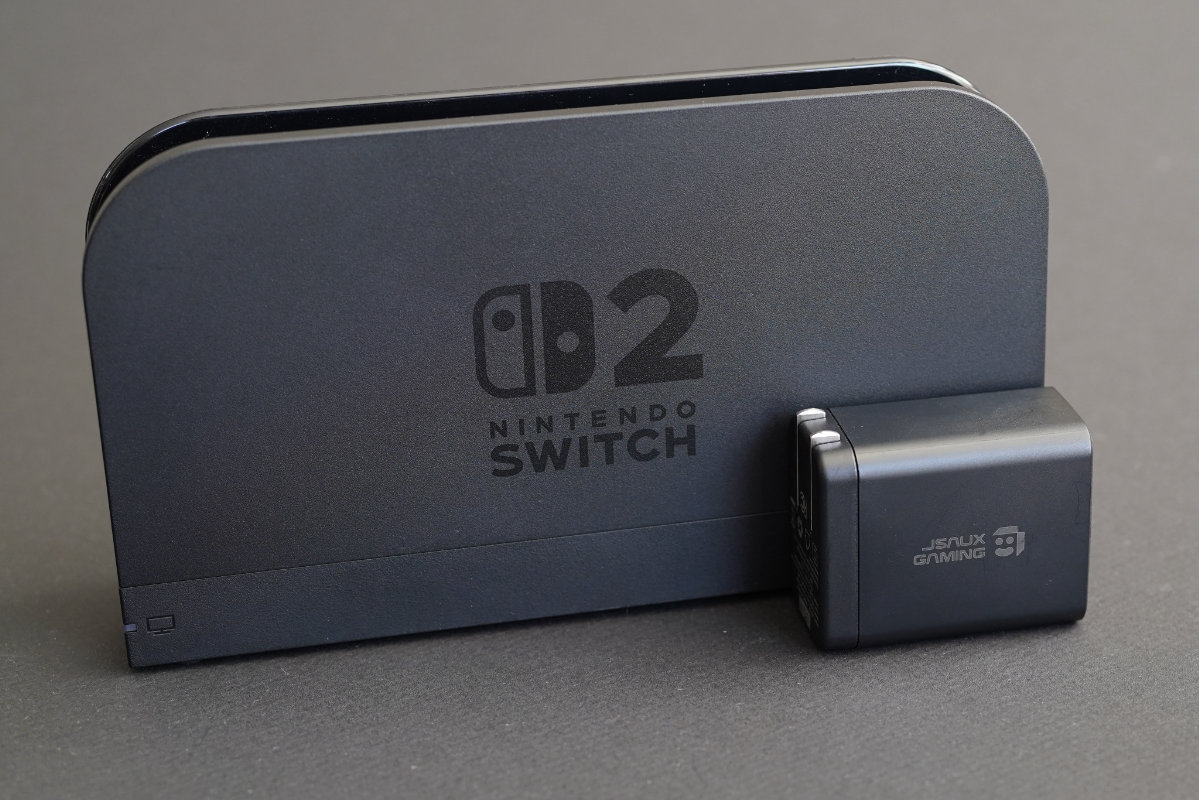
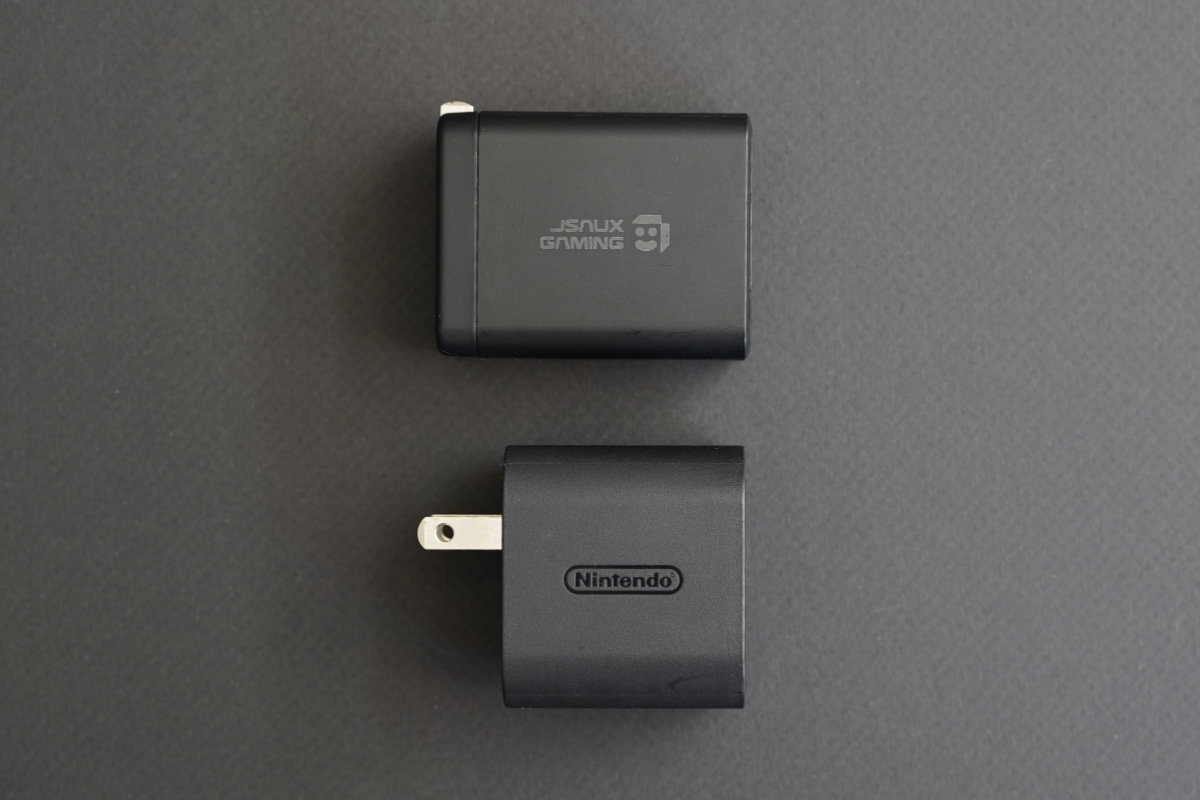
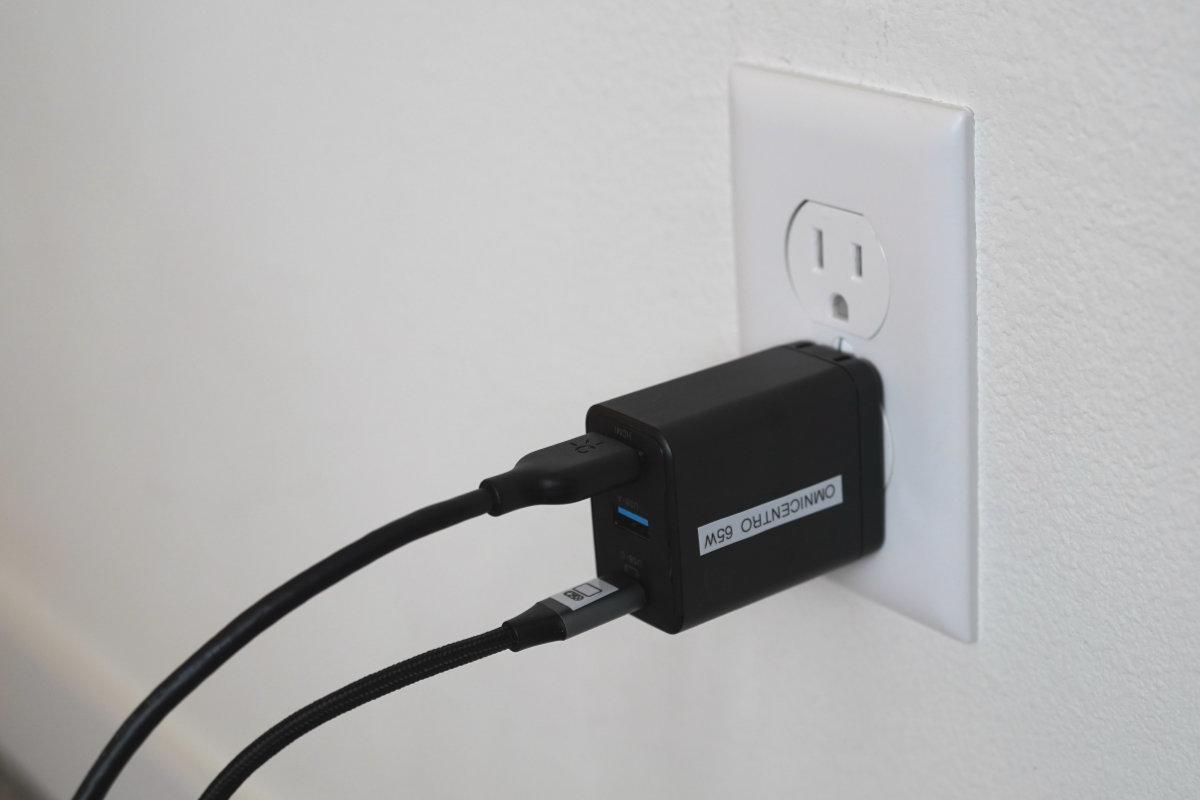
Much like our top pick, the JSAUX OmniCentro offers portability at a fraction of the cost of Nintendo’s official dock, as well as a wide range of compatibility.
All of our praise for Genki’s Covert Dock 3 also applies to the OmniCentro, except for the fact that it does not support 1080p240 (this doesn’t matter if all you’re playing is Switch 2) and it is lacking extensive electronics testing (at time of publication, JSAUX has assured us that the OmniCentro has “completed the UL 62368-1 test report” but we have not received a new unit with appropriate safety certifications printed on the shell). We imagine the limited electronics testing has allowed them to set the price a bit lower than Genki.
Those looking for a solid budget pick will be happy with JSAUX’s OmniCentro.
Other Options
No-name Switch 2 Dock Dongles
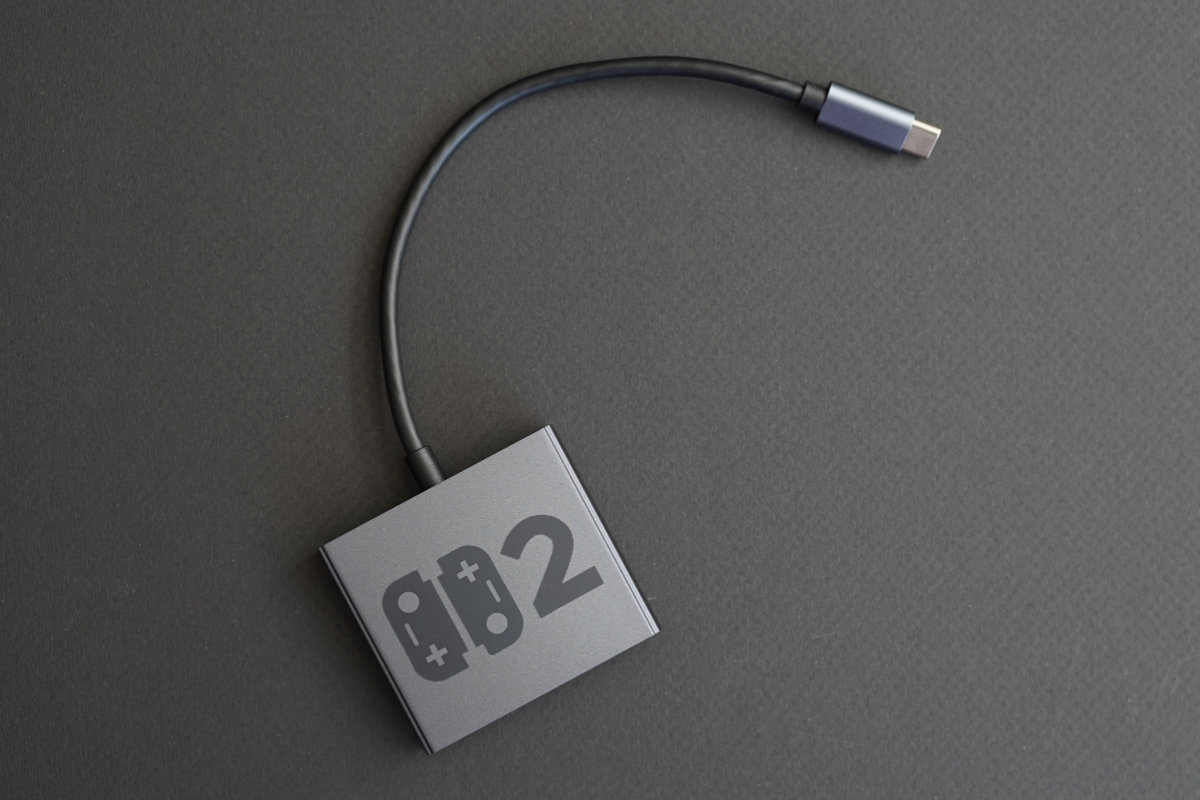
We tested a number of copycat, sub-$10 dongles offered by companies selling on Amazon, with mixed but surprisingly decent results. These devices do not include integrated power delivery, requiring a separate power supply like the official dock’s 65W brick, and none of them appear to have had any electronics safety certifications. It’s also very doubtful that these devices will receive firmware updates if Nintendo decides to change the official firmware in any way, which would render them useless.
Most of the dongles appear to utilize very similar internal hardware that essentially takes the official dock’s multi-chip design and consolidates everything in a single chip. Because of this, we do have some concerns about the power delivery negotiation and the Switch 2 potentially receiving non-ideal voltages. During our testing, two of the three devices did output similar quality to the official dock while one’s output was degraded. We’re unsure if this is a quality control issue or something more severe. Because the power delivery is not integrated into the dongle like other options, they did stay significantly cooler during our thermal testing.
The unbranded dongles might work in a pinch but we recommend both the Genki Covert Dock 3 and JSAUX OmniCentro over any of them.
Switch 2 Dock Extender Cable
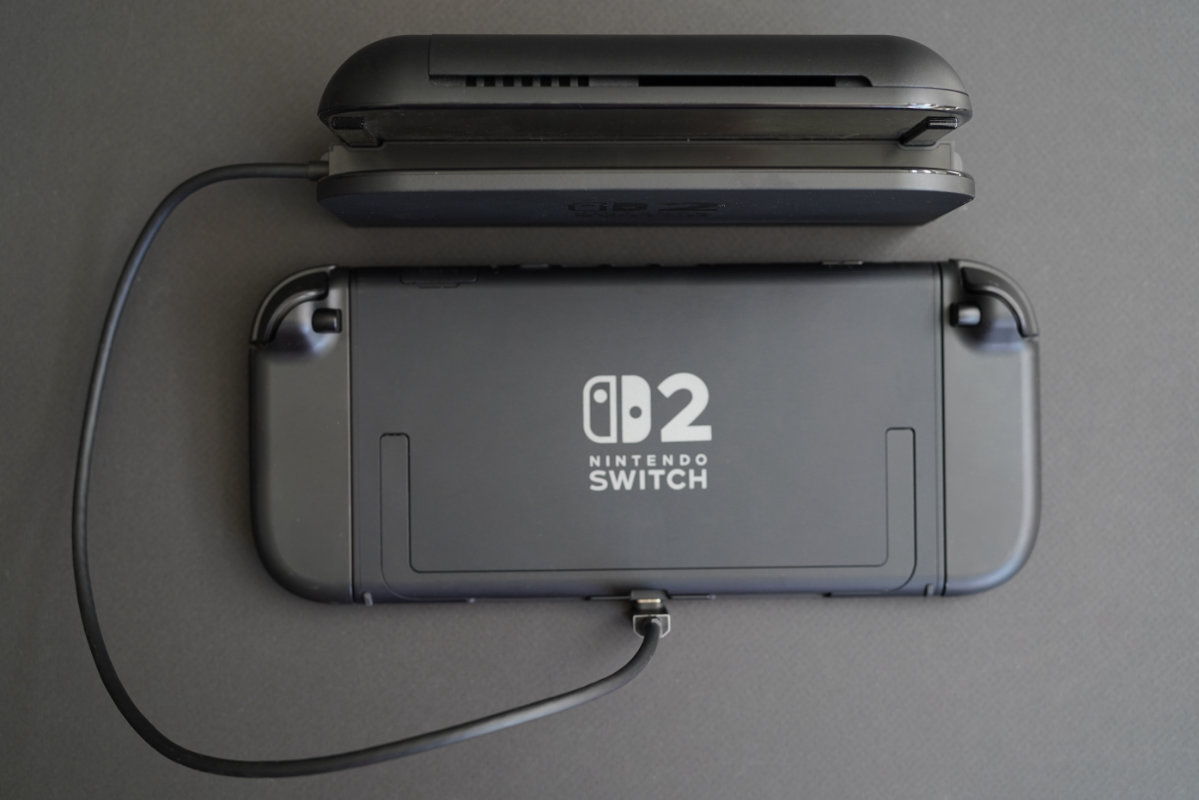
To use your existing Switch 2 dock with other handhelds like a Steam Deck or AYN Thor, or if your grip is too thick for the original dock, there are a few inexpensive, if somewhat unattractive, solutions. We’re particularly fond of JSAUX’s Switch 2 Dock Extender Cable with Stand, which houses a USB-C extension cable in a plastic shell that slides into the dock’s USB port for a secure connection. Simple extension cables from UGREEN or Cable Matters cost a few dollars less, but we recommend something purpose-built like the JSAUX for the dock’s spring-loaded USB connection. If you go this route, keep in mind the Switch 2 dock may not display and charge the console at the same time.
Everything Else We Tested
AVerMedia Elite GO GC313Pro and X’TRA GO GC515: Incomplete compatibility, limited to HDMI 2.0, and flaky connectivity despite multiple firmware updates combined with an unintuitive layout left us looking towards other options that didn’t have these issues.
VITURE Pro Mobile Dock: Great if you’re using a pair of VITURE Luma XR or XREAL One Pro AR/XR glasses, but otherwise not worth the cost.
Addressing Concerns
Audio cutting out when outputting HDR to LG C-series televisions
Both the JSAUX OmniCentro and Genki Covert Dock 3 have some trouble when outputting 4K HDR content specifically to LG C-series televisions. We spent several weeks testing both devices extensively, and have found that audio cuts out for about 1 second on regular intervals when HDR is enabled. For example, we experienced audio cutting out every 32 seconds, 52 seconds, 130 seconds, and 210 seconds, without any identifiable pattern across multiple games. We have confirmed these C-series models are impacted: LG C1, C2, and C3. Disabling HDR via system settings resolved the audio drops.
We used an HDFury VRROOM 8K inline between each dock and our LG C2 test station TV to monitor the HDMI InfoFrame stream in real time during the audio dropout events, logging the HDR, AUD, AVI, and CHST fields at 0.25-second intervals via a custom Python script polling the VRROOM’s HTTP API. The VRROOM showed that all InfoFrame values remain completely unchanged during every dropout events, but we reported our findings to both Genki and JSAUX regardless.
After we reported the details of this bug to Genki, they told us our testing was essential for helping them track down the root cause of the problem, and provided the following statement:
“Unfortunately, we’ve come to find this is a known issue affecting current-generation HDMI 2.1 8K transmitter silicon broadly, not just the chipset in the CD3. The behavior surfaces when FRL bandwidth scheduling between video, audio sample packets, and metadata becomes constrained, which happens most readily under HDR signaling. It explains why you’re seeing the same symptoms across our dock, JSAUX’s OmniCentro, and with different source devices including the Legion Go S. The LG C-series receiver appears to have stricter timing tolerance than other display brands, which is why the dropouts are reliably reproducible there and not on Samsung, Sony, etc.
We’re actively working with our chipset partner on firmware-level mitigations. We can’t commit to a specific timeline yet because the fix needs validation, but we want to be clear that we’re treating this as an open issue rather than something we’ve accepted. We’ll update you as soon as we have a release window.
In the meantime, the practical workaround for affected users is to disable HDR in Switch 2 system settings when playing on an LG C-series TV. Not ideal, but it eliminates the dropouts entirely.”
JSAUX responded to our bug report by saying “Our engineers are currently running full-scale diagnostics based exactly on your replication steps” and that they hope to have beta firmware ready for testing soon.
Despite this issue, we still recommend these docks and will be watching for firmware updates.
Are third party Switch docks safe to use?
In 2019, an unknown number of Switch consoles were rendered inoperable after a portable dock from accessory manufacturer Nyko sent an out-of-spec voltage to the console. As far as we can tell from the extensive research we’ve done, these incidents were isolated to this single dock and no further issues have occurred since.
It is our opinion that devices manufactured by well-established companies that feature certifications from nationally or internationally recognized laboratories are safe to use, but it’s important for you to know that Nintendo is unlikely to repair or replace any hardware damaged by unlicensed accessories. Per Nintendo, “unlicensed products and accessories do not undergo Nintendo’s testing and evaluation process.”
Why does the official Switch 2 dock have a fan?
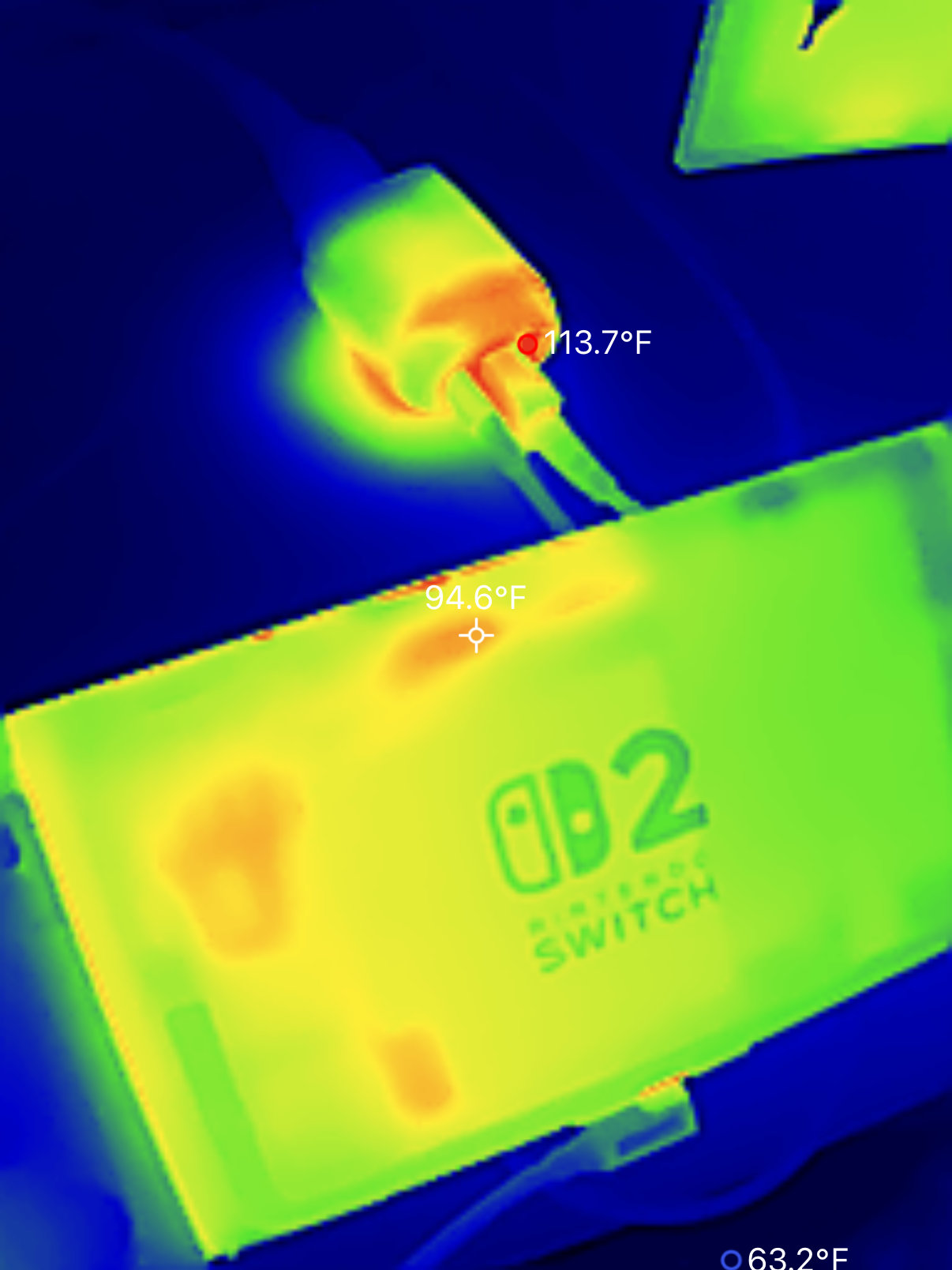
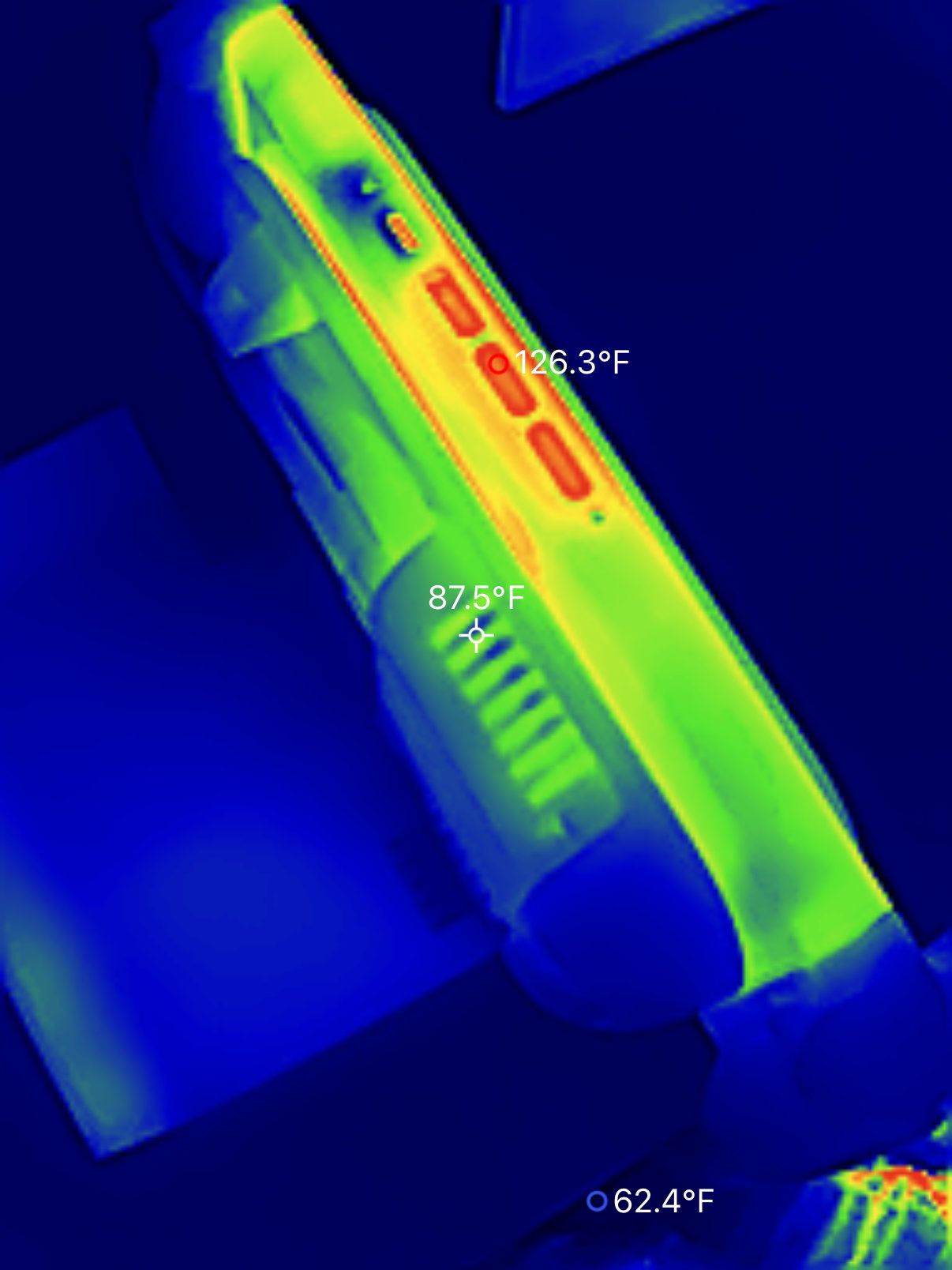
The official Switch 2 dock fan pulls in cool air over the dock internals and out the top of the dock. This is strictly to keep the internal dock components running cool, not to cool the console itself. During our testing, we used a TOPDON TC002C Duo Thermal Camera to take thermal temperature readings.
After 1 hour of playing Resident Evil Requiem.
Switch 2 Docks We Haven’t Tested Yet
We’ll continue to update this guide as more portable Switch 2 docks hit the market, but the options are fairly limited right now. The next dock to hit our test bench will be the POWKONG CubeDock.
Editorial & Affiliate Policies
Before reaching out to manufacturers, we compiled our complete testing list. While some items on our list were provided as review samples, we purchased any remaining items on our list. We receive no compensation for these guides and do not consider affiliate agreements into our review process.
This guide uses affiliate links and earns a commission from certain links. This does not affect our recommendations, your purchases, or the price you may pay. As an Amazon Associate we earn from qualifying purchases.
Update History
June 2026: First published